Linux
BetaArca Mail Backup for Linux
The same backups as on Mac and Windows, in a native GTK 4 and libadwaita app. Packages for Ubuntu, Debian and Fedora that update with the rest of your system, and a Flatpak for every other distribution, on x86_64 and ARM64.
Version 1.1.1 (beta) · Free for one account · Only from this site, not in any store
This is a beta. It backs up, searches and restores like the Mac and Windows apps, but it's new, so we'd love to hear what goes wrong: support@arcamailbackup.com.
Two things haven't reached Linux yet: importing .mbox files and the HTML message preview (for now the preview shows the text of each message).
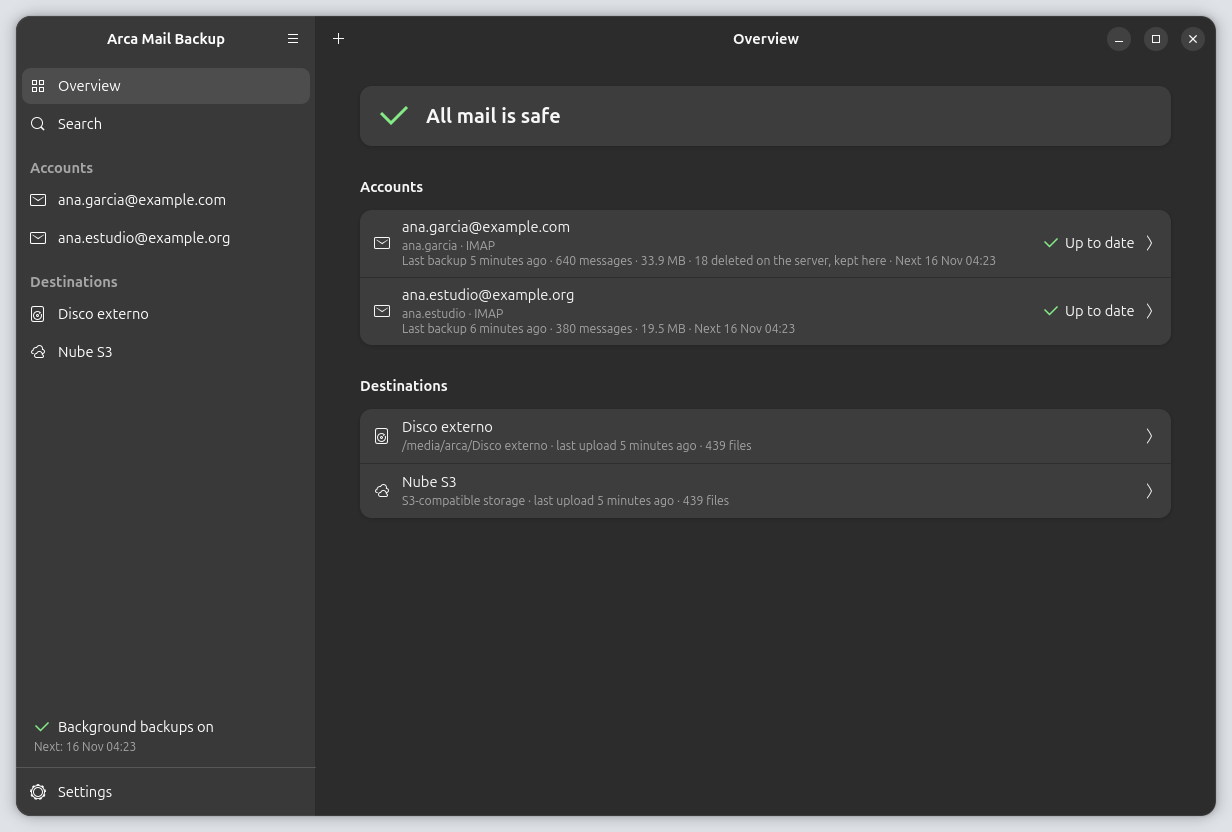
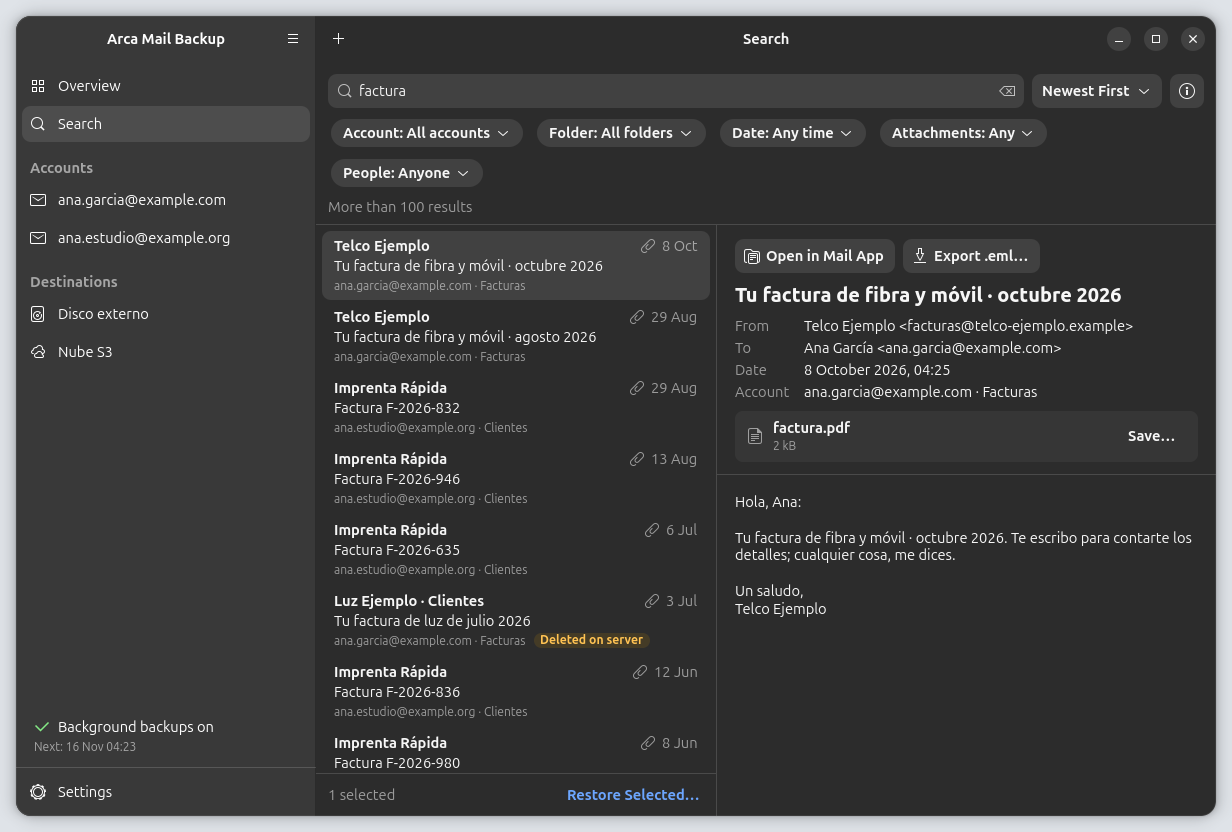
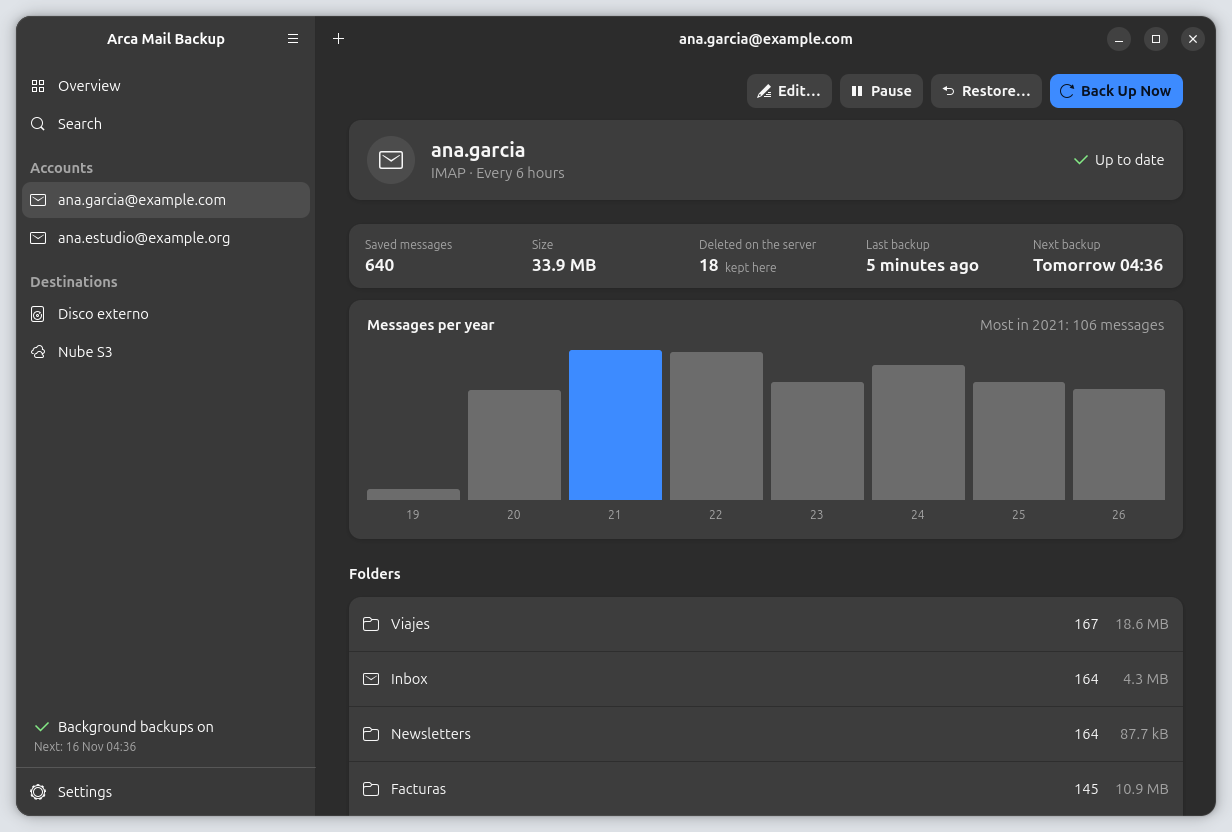
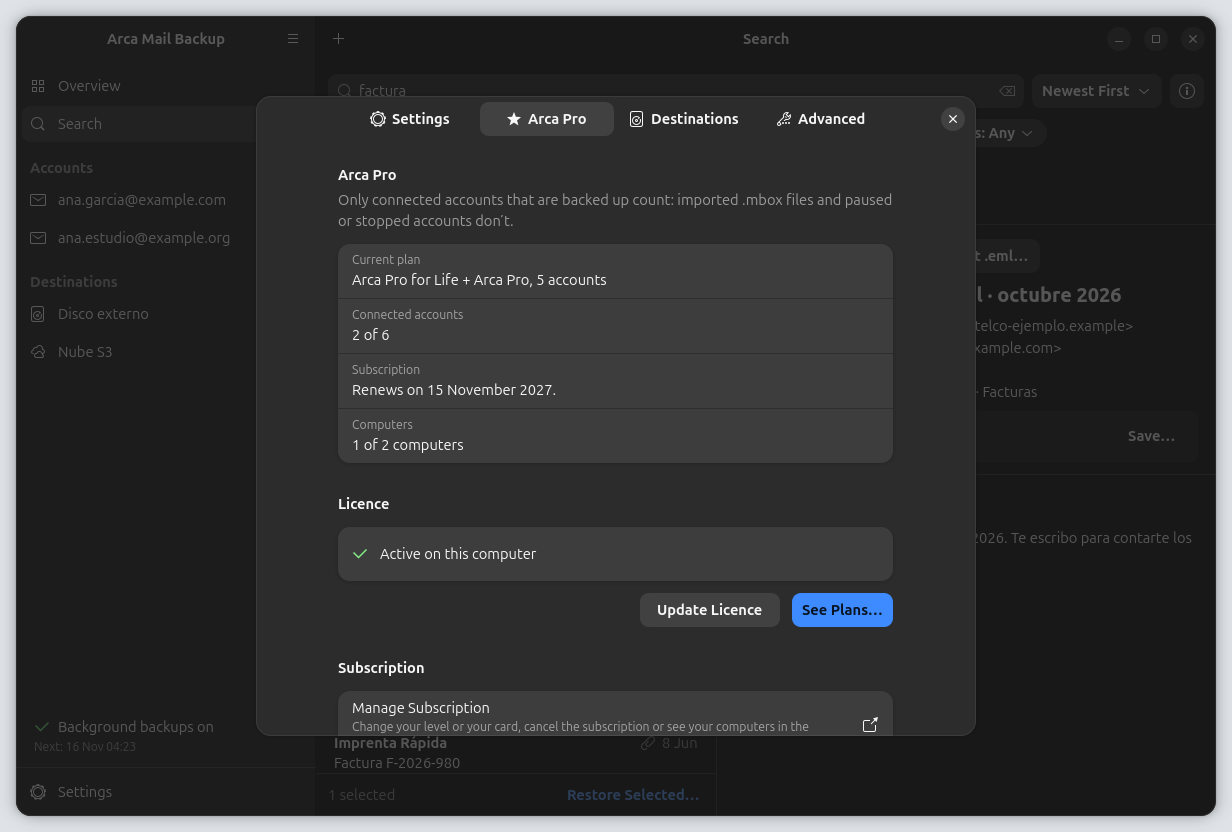
Real app screens on Ubuntu with GNOME, with demo data: the accounts, messages and amounts are made up.
Install
Install it in one command
Pick your system. The packages add Arca's signed repository, so updates arrive with the rest of your system.
Not sure which one is yours? This command tells you: x86_64 is Intel or AMD, aarch64 is ARM64.
uname -mUbuntu and Debian
Ubuntu 24.04 or later and Debian 13. The package adds Arca's APT repository, signed with our key, so new versions come with your system updates.
x86_64 (Intel, AMD)
wget https://download.arcamailbackup.com/linux/arcamailbackup_amd64.deb && sudo apt install ./arcamailbackup_amd64.debARM64 (aarch64)
wget https://download.arcamailbackup.com/linux/arcamailbackup_arm64.deb && sudo apt install ./arcamailbackup_arm64.debUpdates
They arrive with the usual updates, or by hand with:
sudo apt update && sudo apt upgradeFedora
Fedora 44 or later. The package adds Arca's DNF repository, and the packages themselves are signed with our key too.
x86_64 (Intel, AMD)
sudo dnf install https://download.arcamailbackup.com/linux/arcamailbackup.x86_64.rpmARM64 (aarch64)
sudo dnf install https://download.arcamailbackup.com/linux/arcamailbackup.aarch64.rpmUpdates
They arrive with the usual updates, or by hand with:
sudo dnf upgrade --refreshFlatpak
Any distribution with Flatpak. Arca comes from our own signed Flatpak repository, not from Flathub; the GNOME runtime it needs is installed from Flathub on the way.
flatpak install --user https://download.arcamailbackup.com/linux/com.colorvivo.arca.flatpakrefUpdates
They show up in your software centre, or by hand with:
flatpak updateIn the Flatpak, Arca can save to your home folder and to disks mounted under /media, /run/media or /mnt. For a disk mounted anywhere else, give Arca access to it once, for example:
flatpak override --user --filesystem=/srv/backup com.colorvivo.arcaDirect downloads
Prefer to download the file?
These links always point to the latest version. Installed by hand, the .deb and the .rpm still add the repository, and the .flatpak stays linked to ours, so they keep updating.
Ubuntu and Debian
.deb package
Fedora
.rpm package
Flatpak
Single-file bundle
Flatpak reference (.flatpakref)
Also on Mac and Windows: the direct versions, with the same licence
Verify
Check that it's really ours
APT, DNF and Flatpak check the signature of every update on their own, with the key the package installs. Its fingerprint is:
16B1 0C6E 949C FEFB 80F9 24B7 E9B0 6B60 16F3 5ACE
To check a file you downloaded by hand, put it in a folder with these three and run:
01Download the key and the checksums
wget https://download.arcamailbackup.com/linux/arcamailbackup.asc https://download.arcamailbackup.com/linux/SHA256SUMS https://download.arcamailbackup.com/linux/SHA256SUMS.asc02Compare the fingerprint with the one above
gpg --show-keys arcamailbackup.asc03Import the key and check the signature of the list
gpg --import arcamailbackup.asc && gpg --verify SHA256SUMS.asc SHA256SUMS04Check your file against the list
sha256sum -c --ignore-missing SHA256SUMS
gpg should say “Good signature” from “Arca Mail Backup Linux packages”, and sha256sum “OK” next to your file.
Requirements
What you need
For the packages
Ubuntu 24.04 or later, Debian 13 or Fedora 44 or later. They need glibc 2.39, GTK 4.14 and libadwaita 1.5 or newer, which those systems already have.
For the Flatpak
Any distribution with Flatpak. The GNOME runtime comes from Flathub, and Flatpak installs it for you.
Your processor
x86_64 (amd64: Intel or AMD) or ARM64 (aarch64), in every format.
A keyring
Arca keeps passwords in your session's keyring: GNOME Keyring, KWallet or another Secret Service, such as KeePassXC. Most desktops already have one.
Background backups
Backups that run on their own
One switch in Settings handles it, whichever way you installed Arca, and it stays off until you turn it on.
Ubuntu and Debian · Fedora
The packages install a systemd user service, arca-mail-backup-agent.service, turned off for everyone. When you turn on Back up in the background, in Settings › Backups, Arca enables and starts it for you alone; when you turn it off, Arca stops and disables it. You can check how it's doing with:
systemctl --user status arca-mail-backup-agent.serviceFlatpak
In the Flatpak, Arca asks for permission through your desktop's background portal and adds itself to the apps that start with your session. Turning the setting off removes it.
Optional encryption · Arca Pro
Encrypt before it leaves your computer
Tick “Encrypt the backups on this destination” when you add a destination: a disk, a NAS, a cloud-synced folder or S3-compatible storage. It's set when the destination is created and can't be changed later. Files are encrypted with age, an open standard, to two keys.
This computer's key
Kept in your session's keyring (GNOME Keyring, KWallet or another Secret Service), like your passwords. Arca uses it to check your backups; uploading only needs the public half.
Your recovery key
Arca shows it once, the first time you encrypt a destination, lets you copy it or save it as a file, and asks you to give it back whole before going on. Arca never stores it: only you keep it. If you lose both keys, nobody can read those backups, not even us.
What's encrypted
The content, subjects, addresses, folder names and the copy of the index. Still visible without the keys: the paths with the folder name and the month, the sizes and the date of each backup. The copy on this computer isn't encrypted, so search and restore work as always.
If Arca Pro ends
Encrypted destinations are paused, even on a disk of this computer. What's already there can still be read and restored, and they start again when you have Arca Pro.
Open it without Arca, on any computer
With the age tool and your recovery key: one command for each month's file, and the copy of the index opens the same way.
age -d -i arca-recovery-key.txt -o 2026-09.mbox 2026-09.mbox.ageage -d -i arca-recovery-key.txt index.sqlite.zst.age | zstd -d -o index.sqliteFree and Arca Pro
The same plans as on Mac and Windows
Free for one account connected by IMAP, backed up in full to a disk of this computer, internal or external, once a day. Search and restore are included.
Arca Pro, yearly for 1, 5, 10, 50 or 100 accounts or for life for one account, adds NAS and S3-compatible storage, several destinations at once, backups every few hours and age encryption. Every yearly level starts with 7 days free: the checkout asks for your card, charges nothing for 7 days and only charges the year on day 8 if you haven't cancelled.
On Linux there's no store in between: you buy Arca Pro from us. See Plans… in the app opens the checkout in your browser and the key arrives by email. A licence bought from us is valid on every direct version of Arca, on up to 2 computers with the yearly subscription and up to 3 with Arca Pro for Life; Arca Pro bought in the Mac App Store or the Microsoft Store doesn't unlock the Linux app. You have 14 days to return it.
To check the licence, Arca talks to our licence server. It never sends anything about your mail, your accounts or your destinations.
Uninstall
If you want to remove it
First turn off Back up in the background and, if you have Arca Pro, deactivate this computer in Settings › Arca Pro so you can use the licence on another one. Then:
Ubuntu and Debian (also removes the repository)
sudo apt purge arcamailbackupFedora
sudo dnf remove arcamailbackupFlatpak
flatpak uninstall --user com.colorvivo.arcaUninstalling never touches your backups: they stay on your destinations. Arca's data folder (~/.local/share/com.colorvivo.arca, unless you moved it in Settings › Advanced) and its settings (~/.config/com.colorvivo.arca) stay too; in the Flatpak, everything is in ~/.var/app/com.colorvivo.arca. Delete them if you don't need them.
Something not working? Write to support@arcamailbackup.com.
Mac, Windows and Linux
Start with one account, free.
Get Arca Mail Backup from the Mac App Store or the Microsoft Store, or download the direct version from this site, which is also the one for Linux. It's free for one account, and Arca Pro adds more accounts, NAS and S3 storage.
All downloadsArca Pro bought in a store doesn't unlock the direct version, and the other way round. Why
Mac
macOS 14 or later
Windows
Windows 10 version 1809 or later, or Windows 11
Linux
Ubuntu 24.04+, Debian 13, Fedora 44, or Flatpak